Study like you mean it.
Your next study session starts here.
Find study resources and past papers, build a study roadmap, practise with flashcards and ask Campy when you’re stuck.

Don’t just take our word for it.
Try it for your next study session.
About Campus Connect
Everything you need to study, in one app.
Campus Connect is a study app for university students. Find notes and past papers shared by other students, plan what to study with roadmaps, test yourself with flashcards, and ask Campy, your campus AI assistant, when you’re stuck. Get it on Android or iPhone, or get started on the web at campus-connects.org.
01 · File tab
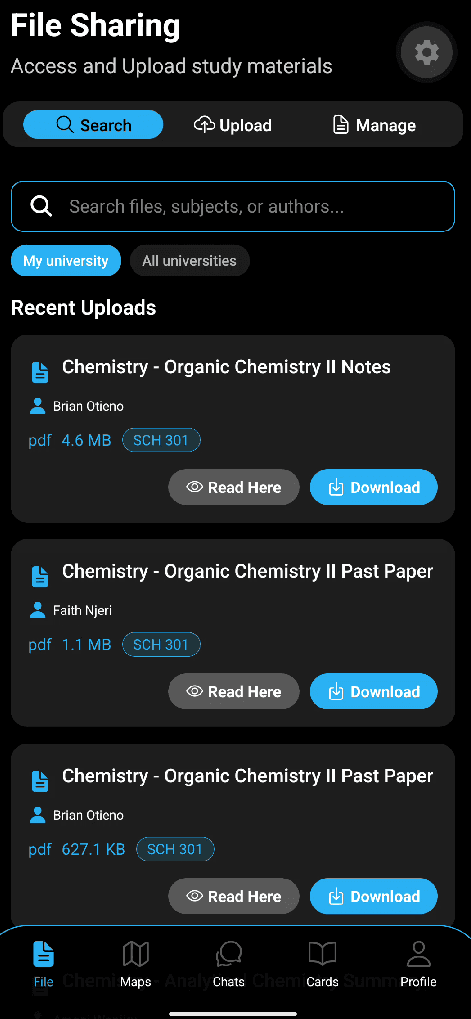
File Sharing
Notes and past papers, shared by students. Find what you need for your units, or upload your own so the next person doesn’t have to hunt for it.
- Search by file, subject or author
- Browse your university, or all universities
- Every file shows its unit code, who shared it and its size
- Read it right in the app, or download it
02 · Maps tab
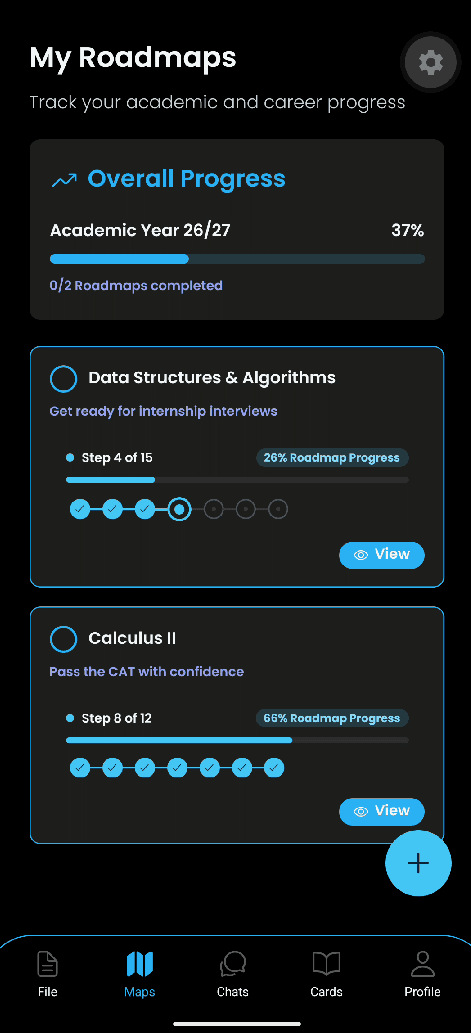
Roadmaps
Give every goal a plan. Whether it’s passing a CAT or getting ready for internship interviews, a roadmap breaks it into steps you can tick off.
- Step-by-step plans, each with its own goal
- See how far along each roadmap you are
- Track your overall progress for the academic year
- Covers both academic and career goals
03 · Cards tab
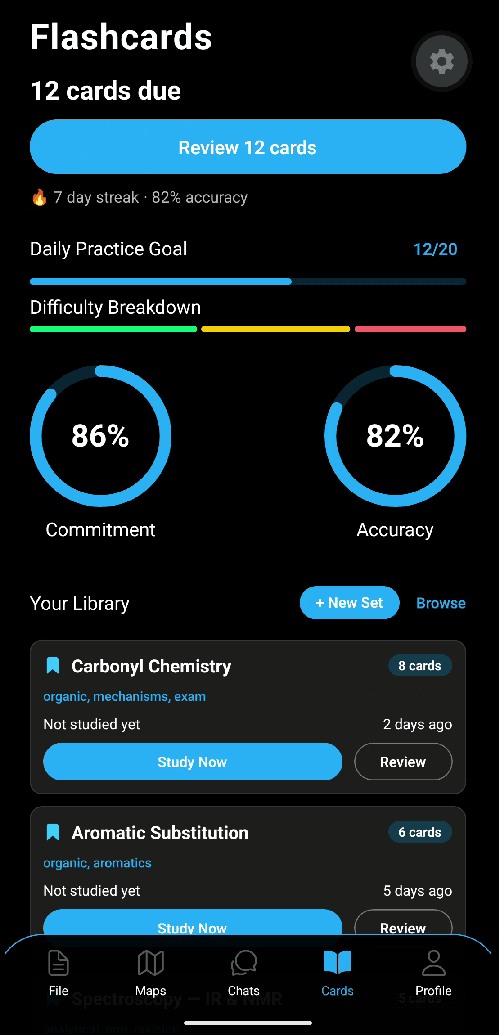
Flashcards
Find out what you actually remember. Campus Connect tells you which cards are due, so a few minutes a day keeps everything fresh before the exam.
- Cards due for review, ready when you are
- A daily practice goal, streak and accuracy score
- Build your own sets and tag them by topic
- Browse sets to study
04 · Chats tab
Campy
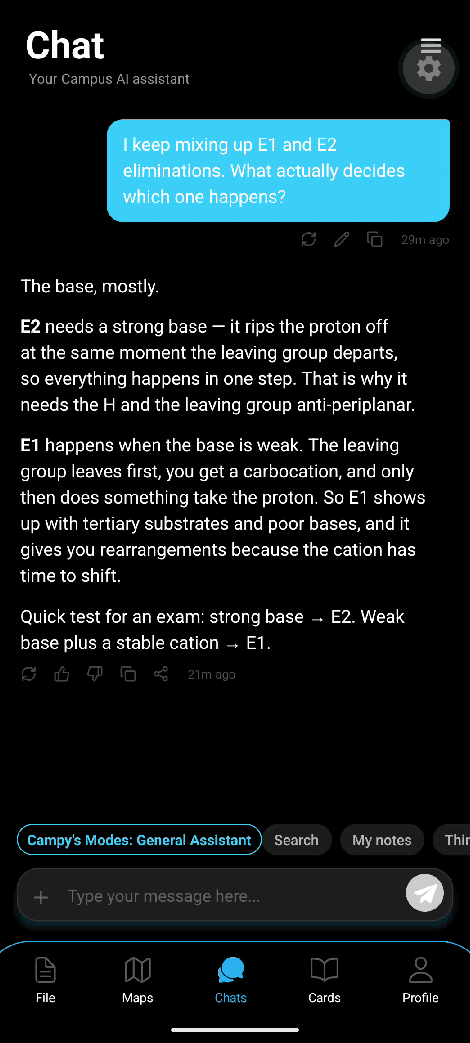
Your campus AI assistant. Ask Campy the question you’re stuck on and get a clear explanation, plus a quick way to remember it for the exam.
- Explains concepts in plain language
- Ask follow-up questions until it clicks
- Switch modes, including Search and My notes
All four, in one app. On your phone or on the web.
Questions
What is Campus Connect?
A study app for university students. It brings together study resources and past papers, study roadmaps, flashcards and Campy, an AI study assistant.
How do I download it?
Tap the Google Play or App Store button on this page and install it like any other app. Prefer your browser? Get started at campus-connects.org.
Is it on Android and iPhone?
Yes. Get it from Google Play on Android or the App Store on iPhone. You can also get started on the web at campus-connects.org.
How do I find study resources?
Open Files and search for your unit to see the study resources and past papers available for it.
How do I get started?
Download the app or go to campus-connects.org, create your account, then open Files or Roadmaps to start your first study session.